





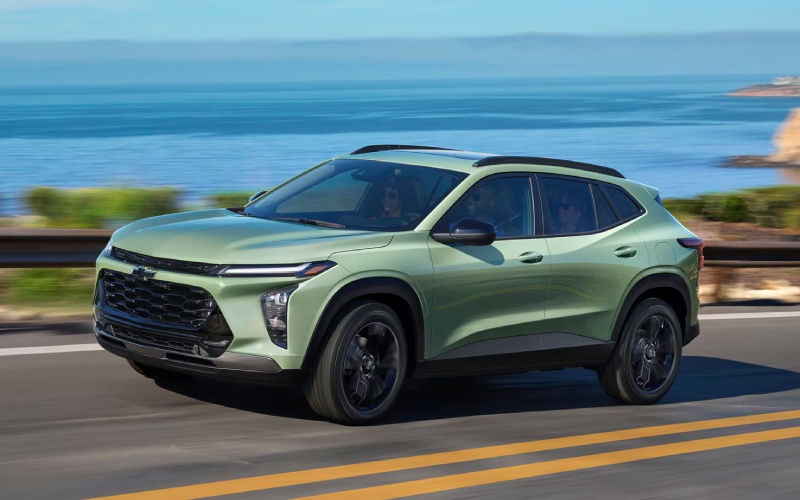
Don Johnson’s Ladysmith Motors – How Chevy Safety Assist Helps You Navigate Everyday Roads around Holcombe, WI in the 2026 Chevrolet Trax
Chevy Safety Assist gives the 2026 Trax a confident edge for everyday driving, blending helpful alerts with driver-focused assistance to keep you informed and supported. Around Holcombe, WI, that can mean extra peace of mind when traffic stacks up near schools, when deer become dusk-time surprises on two-lane routes, or when your attention is split between navigation and a quick errand list. The suite includes Forward Collision Alert, Automatic Emergency Braking, Front Pedestrian Braking, Lane Keep Assist with Lane Departure Warning, Following Distance Indicator, and IntelliBeam® High Beam Assist—features designed to complement attentive driving without getting in your way.
What makes these systems click is how naturally they integrate with the Trax’s intuitive cockpit. The available 11-inch center HD touch-screen helps you see what matters at a glance, and the standard wireless Apple CarPlay® and wireless Android Auto™ connectivity ensure you are not fussing with cables when you just need to get going. Together, the technology inside and the assistance around you create a daily drive that feels smoother, steadier, and more predictable—perfect for quick runs up County M or relaxed weekend drives along the Flambeau River.
What Chevy Safety Assist Does Behind the Scenes
Each feature has a specific role. Forward Collision Alert looks for vehicles ahead and warns you if a potential front-end collision is detected, while Automatic Emergency Braking can apply hard braking or enhance your braking to help reduce the severity of an impact at lower speeds. For crosswalks and shopping areas, Front Pedestrian Braking is designed to help reduce or avoid a collision with a detected pedestrian directly ahead. Lane Keep Assist with Lane Departure Warning can provide gentle steering inputs when you unintentionally drift out of your lane, and the Following Distance Indicator gives a time-based gap display to help you maintain smart spacing. IntelliBeam® High Beam Assist automatically toggles high beams when it senses traffic, so you do not have to keep tapping the stalk when road conditions change.
How It Feels on Real Roads
Chevy Safety Assist shines when the unexpected happens—a sudden slowdown on WI-27, a distracted moment at an intersection, or a tight parallel park on a busy weekend. The alerts are designed to be perceptible but not overwhelming, letting you respond quickly without feeling startled. And when you combine these systems with standard wireless smartphone integration, voice control for calls and maps, and an available built-in Wi-Fi® hotspot, your attention stays where it belongs: on the road ahead.
Pairing Safety with the Trax Cabin
Inside the 2026 Trax, thoughtful ergonomics help you get even more from the safety systems. Sightlines feel open, the seating position is comfortable, and essential functions are exactly where you expect them. The large, crisp available 11-inch display makes it easy to tweak settings—like chimes and alert sensitivities—so the system works the way you prefer. If you want to personalize further, the Trax also offers available wireless charging, so your phone stays powered for navigation and emergency calls without clutter.
Tips for Getting the Most from Chevy Safety Assist
- Start with a walkthrough: Ask for a feature tour when you take delivery so alert types and symbols are familiar from day one.
- Dial in settings: Adjust alert timing, lane-keep settings, and chime volumes to match your comfort level.
- Keep sensors clear: Make a habit of wiping front sensors and the windshield area so cameras and radar can do their jobs.
- Use voice commands: Tap Siri or Google Assistant through Apple CarPlay® or Android Auto™ to reduce distraction.
- Stay attentive: Remember, these systems are assistance tools and work best when paired with engaged driving.
Because these features are standard, you get a strong foundation no matter which Trax trim you choose. If you prefer a sportier feel, the RS lineup adds red interior accents and black bowtie emblems for a distinctive look. If you want a bold presence, ACTIV delivers blackout wheels and Titanium chrome accents. And across the board, the Trax’s compact footprint makes it simple to slip into tight spots near parks, small-town main streets, or busy trailheads.
Frequently Asked Questions:
Are all Chevy Safety Assist features always active?
Most features are on by default at startup, but you can adjust certain settings through the infotainment menus, so alerts and assistance behave the way you prefer.
Does IntelliBeam® work on rural roads with little lighting?
Yes. IntelliBeam® monitors ambient lighting and oncoming traffic. On darker rural stretches, it can automatically activate high beams and then dim them when it detects vehicles ahead.
Will Chevy Safety Assist brake for me if I am already stopping?
Automatic Emergency Braking is designed to assist you. If it senses a potential collision and you are not braking enough, it can apply additional braking to help reduce the severity of an impact at lower speeds.
Can I use Apple CarPlay® or Android Auto™ without plugging in?
Yes. The 2026 Trax includes standard wireless Apple CarPlay® and wireless Android Auto™, so you can connect without cables.
Does safety tech replace safe driving?
No. These systems support attentive driving. Stay engaged, follow posted signs, and always maintain control of the vehicle.
If you want help tailoring these systems, schedule a personalized technology refresher. Don Johnson’s Ladysmith Motors offers guided sessions to set alert timing, demonstrate feature behaviors, and connect your favorite apps so everything feels natural on day two, not just day one.
In short, the 2026 Trax pairs capable hardware with intuitive software to create a compact SUV that fits right into daily life around Holcombe, WI. With thoughtful safety technology, helpful connectivity, and a comfortable cabin, it strikes a balance that is easy to live with—whether you are navigating school zones, heading to the lake, or taking the scenic route home after work. And because the suite is standard, you do not have to chase packages to get the features that matter most.
When you are ready to see Chevy Safety Assist in action, take a close look at how the alerts display on the screen, how the chimes sound, and how the steering inputs feel with Lane Keep Assist. A hands-on drive is the best way to appreciate how seamlessly everything works together. We are serving Bruce, Holcombe, and Stanley with guidance that helps you personalize settings and understand exactly what the system can do for you.
Request more 2026 Chevrolet Trax information
Connect with us


